How to Use AI Tools in a Penetration Test
AI tools can accelerate reconnaissance, vulnerability research, and report writing in a penetration test, but they cannot replace verification or technical judgement. This guide explains where AI adds value, where it misleads, and the rules that keep reports defensible.
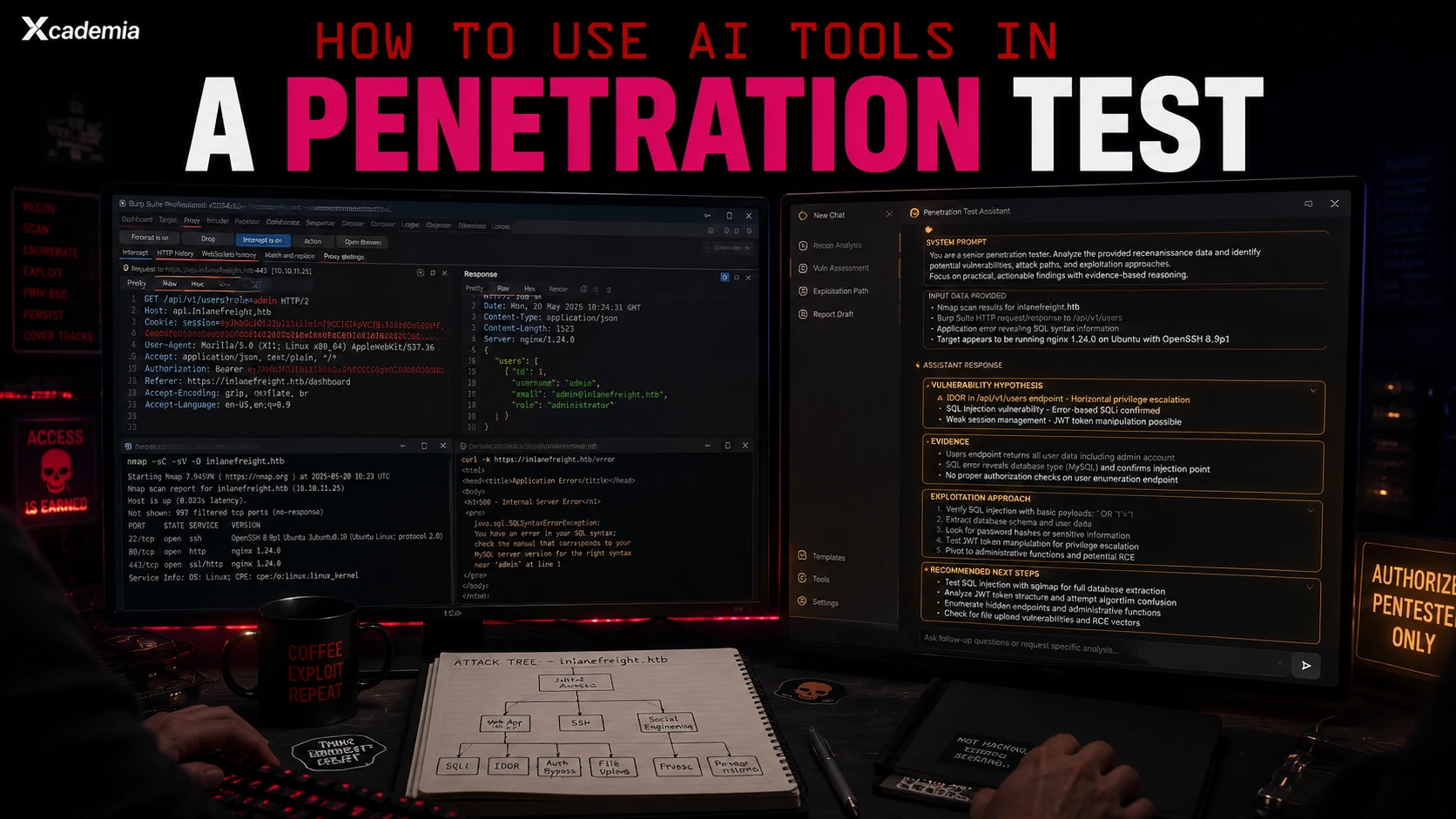
Practical workflows for pen testers. Where AI accelerates, where it misleads, and the rules that keep your report defensible.
AI tools in penetration testing occupy a specific and valuable place in the workflow. They are most effective at the tasks that consume disproportionate time relative to their complexity, reading large volumes of documentation to identify attack surface, structuring reconnaissance findings, generating hypothesis-driven exploitation approaches, and drafting findings sections in professional language.
They are least effective, and potentially damaging, when used as a substitute for technical judgement. An AI tool that generates a suggested exploitation approach for a web application vulnerability is giving the pen tester a hypothesis to test, not a confirmed finding. The exploitation still has to work. The evidence still has to be captured. The finding still has to be verified.
This article is a practical workflow. The rules at the end are as important as the techniques at the beginning.
The pen tester who uses AI to think faster is a better pen tester. The pen tester who uses AI to think instead of thinking is a pen tester whose report will not survive technical review. The distinction is everything.
Where AI Genuinely Helps in a Pen Test
There are six specific phases of a penetration test where AI tools provide measurable acceleration without compromising the quality of the assessment.
01 | Reconnaissance Analysis and Attack Surface Mapping | Claude or ChatGPT with structured recon output PROMPT APPROACH: Gather your passive and active reconnaissance data: Shodan output, DNS records, certificate transparency logs, job postings, LinkedIn data, GitHub repositories, web application technology fingerprinting. Paste a structured summary and prompt: "You are a senior penetration tester. Based on the following reconnaissance data about the target organisation, identify: the most probable attack vectors by likelihood and potential impact, technologies that historically carry specific vulnerability classes, exposed services that warrant priority investigation, and any misconfigurations visible from external data. Present as a prioritised attack surface map." OUTPUT: A structured attack surface priority list that focuses the active testing phase on the most promising vectors first. The analyst validates each hypothesis against the reconnaissance data before acting on it. |
|---|
02 | Vulnerability Research Acceleration | Claude or ChatGPT with CVE descriptions and technology versions PROMPT APPROACH: When you identify a specific technology version during scanning, use AI to accelerate the vulnerability research phase. Provide the technology name, version, and context. Prompt: "You are a penetration tester researching exploitation options. The target is running [technology] version [X] in [context]. Summarise: known CVEs for this version that are exploitable in a standard engagement (no zero-days), public exploit availability status, any authentication requirements for exploitation, post-exploitation potential if successfully exploited. Flag any CVEs where exploitation complexity is high or success rate is low." OUTPUT: A prioritised vulnerability research summary that identifies which CVEs are worth pursuing given the engagement context. Cross-reference against ExploitDB and your own knowledge before pursuing any specific CVE. |
|---|
03 | Exploitation Hypothesis Generation | Claude with specific application behaviour description PROMPT APPROACH: When investigating a specific endpoint or function, describe the observed behaviour precisely and ask for exploitation hypotheses. Prompt: "You are a penetration tester investigating a web application. I have observed the following behaviour: [describe exactly what you see: request parameters, responses, error messages, application function]. Generate a ranked list of vulnerability hypotheses from most to least likely, with the specific test cases I should perform to confirm or eliminate each one. Focus on OWASP Top 10 and common application logic flaws." OUTPUT: A structured test plan for the specific endpoint. Each hypothesis becomes a test case. The AI did not find the vulnerability. It structured your thinking about where to look and in what order. |
|---|
04 | Payload and Bypass Ideation | Claude or any capable LLM PROMPT APPROACH: When a standard payload is blocked by a WAF or input filter, describe what you have tried and the response you are getting. Prompt: "I am testing for SQL injection in a web application. My standard payloads are being blocked. The application responds [describe the response to blocked payloads]. What encoding techniques, alternative syntax approaches, or bypass strategies should I try next? Explain why each approach might bypass this specific filter pattern." OUTPUT: A list of bypass approaches to test, with reasoning for each. This is ideation, not exploitation. Test each approach in Burp or your proxy. Confirm what works against the actual target, not the AI's model of the target. |
|---|
05 | Finding Documentation Drafting | Claude with structured finding notes PROMPT APPROACH: After confirming a finding with evidence, draft the report section. Provide: vulnerability type, affected endpoint or component, evidence summary, exploitation steps taken, business impact. Prompt: "You are writing a section of a professional penetration testing report for a [sector] client. Using the following confirmed finding details, write: a finding title in standard format, an executive-level risk description (2-3 sentences without technical jargon), a technical description suitable for a developer, the confirmed impact, and a prioritised remediation recommendation. Use past tense for all confirmed observations." OUTPUT: A professional finding draft that you verify against your evidence notes and edit for accuracy before it goes in the report. The AI handles the language and structure. You ensure the technical accuracy. |
|---|
06 | Executive Summary Drafting | Claude with full finding list and engagement context PROMPT APPROACH: After all findings are documented and verified, draft the executive summary. Provide: engagement scope, total findings by severity, top three most critical findings with business impact, overall security posture assessment. Prompt: "You are writing the executive summary of a penetration testing report for a [sector] client. Based on the following engagement summary, write a two-page executive summary covering: overall security posture assessment, the three findings that represent the greatest business risk, the pattern of weaknesses observed, and the priority remediation sequence. Write for a CISO and board audience with no technical background." OUTPUT: An executive summary draft that communicates risk in business language. Edit for accuracy to the actual engagement findings before delivery. |
|---|
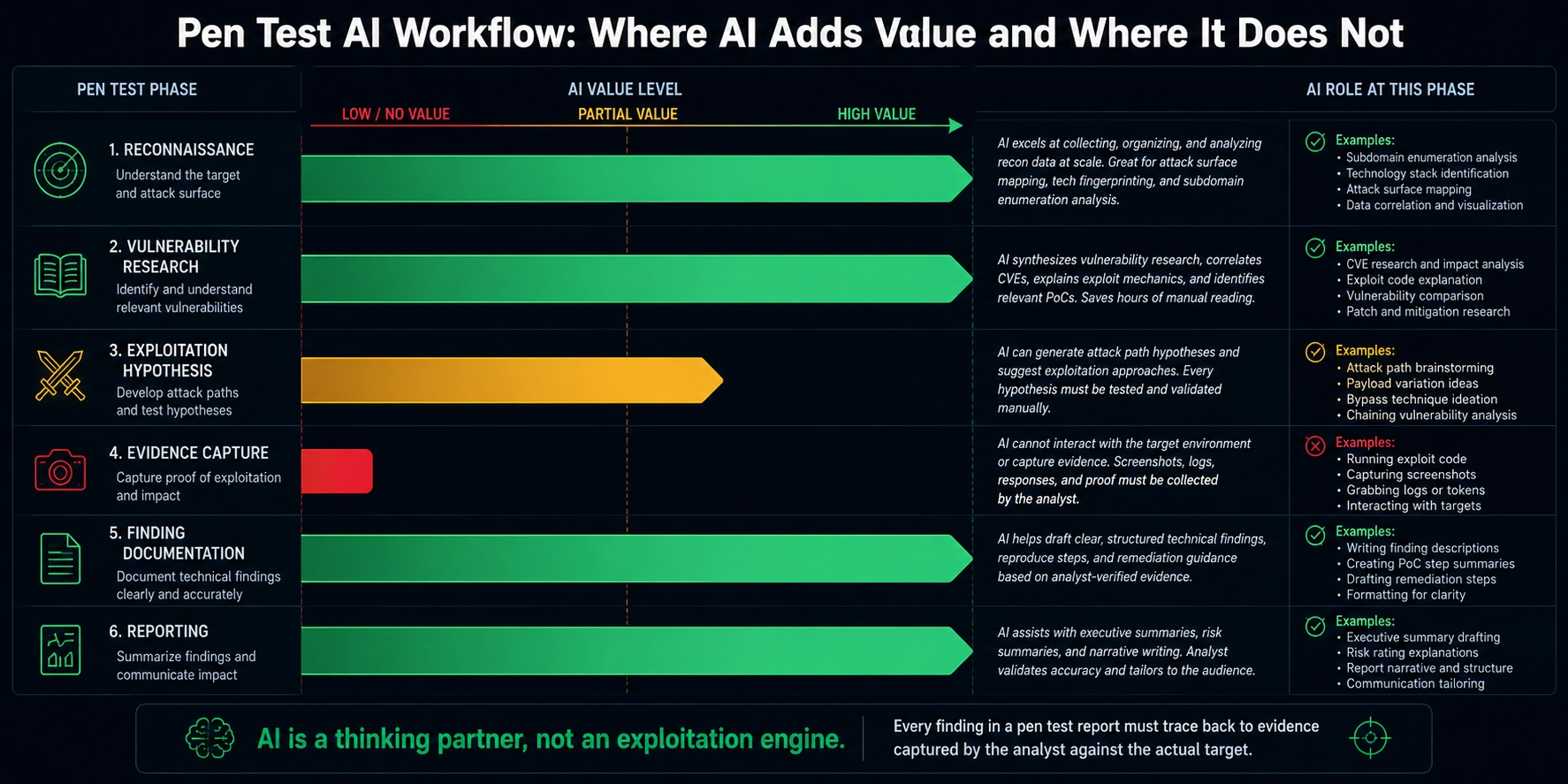
The Rules That Keep Your Report Defensible
Penetration testing reports are professional documents that organisations use to make security investment decisions. In some cases they support regulatory submissions, insurance applications, or legal proceedings. The integrity rules for AI-assisted pen test reporting are non-negotiable.
Never include an AI-generated finding that you have not confirmed against the actual target. AI-generated exploitation hypotheses are starting points for investigation, not findings. A finding goes in the report when you have captured evidence of successful exploitation against the real target.
Every finding must trace back to specific evidence: screenshots, HTTP request and response captures, command output logs. AI tools cannot capture this evidence. The analyst captures it at the time of exploitation.
Never use AI to generate CVSS scores. Scoring requires accurate understanding of the specific environment, which the AI does not have. Score every finding yourself.
Never allow AI to generate the "confirmed impact" section of a finding without verifying the impact claim against the actual target environment. AI can suggest plausible impacts. Only the analyst who tested the target knows the actual impact.
Label your report templates as AI-assisted where relevant if your client or engagement rules require it. Some clients have AI disclosure requirements. Know your engagement terms.
The pen test report that contains an AI-generated finding that is technically incorrect is a professional liability. The analyst who signed it owns the error. Verification is not optional. Speed is not an excuse. The AI saved you time building the hypothesis. That time goes into verification, not into skipping it.
Build Applied Pen Testing Capability With Xcademia Xcademia's XEHP, XCREST, and XART programmes cover penetration testing from entry-level to advanced red team. All instructor-led. All practitioner-assessed. All include AI-assisted workflow integration as part of the modern professional toolkit. Explore Pen Testing Programmes |
|---|
Ready to go deeper?
Professional Training
Hands-on, mentor-led training aligned with industry certifications.
About the Author
Sharper every day
Daily tutorials, analysis, and career playbooks across all 12 Xcademia disciplines, straight to your inbox. No spam.