
Microsoft Unveils New Copilot With Home, Code and Autopilot for AI-Powered Work
Microsoft is redesigning Copilot around Home, Code and Autopilot, bringing AI chat, Office work, app building and persistent agents into a single experience.
Xcademia Team
Xcademia Research Team
Microsoft Introduces a More Agentic Copilot Experience
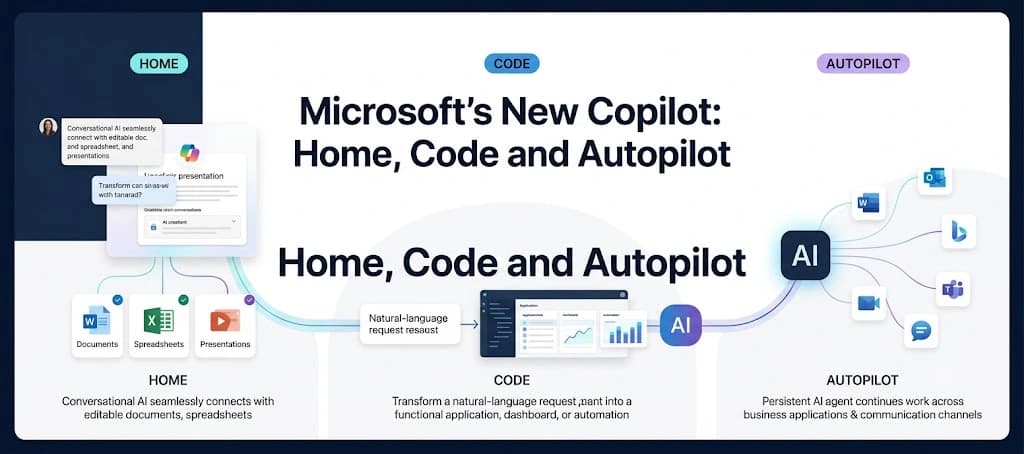
Microsoft has announced a redesigned Copilot experience built around three capabilities: Home, Code and Autopilot.
Announced on September 25, 2026, the update expands Copilot beyond conversational assistance. Microsoft is positioning the new experience as a central workspace where users can ask questions, delegate tasks, build applications and automations, and work with AI agents across business workflows.
The announcement is part of Microsoft's broader push toward AI systems that can participate in longer-running work rather than simply responding to individual prompts.
Microsoft says Home and Code will begin rolling out through its Frontier program in the coming weeks, while Autopilot is scheduled to expand to private preview at the end of September.
The Three Core Parts of the New Copilot
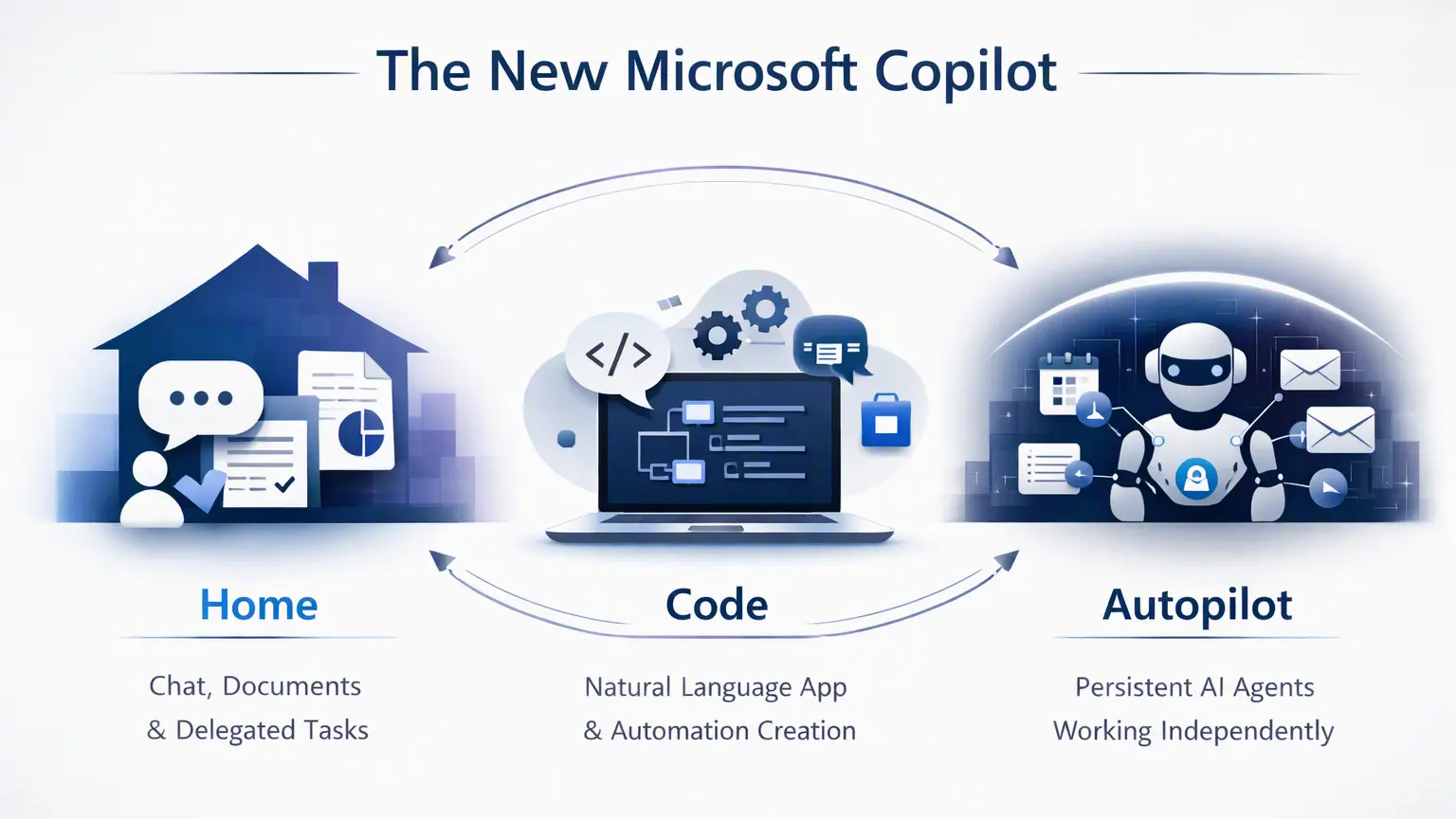
The redesigned Copilot experience can broadly be understood through three layers:
Home: A central starting point combining Chat and Copilot Cowork
Code: A natural-language environment for building applications, dashboards and automations
Autopilot: A persistent AI agent designed to continue working on tasks independently
Together, these capabilities move Copilot from a primarily conversational interface toward a broader AI work environment.
Home Brings Chat and Cowork Together
The first major component is Home, which Microsoft describes as the new starting point for Copilot.
Home combines Chat and Copilot Cowork in one experience. Chat remains focused on conversational activities such as answering questions, looking up information and creating drafts. Cowork is intended for larger tasks that users delegate to Copilot to execute from beginning to end.
Microsoft gives examples including preparing an RFP response, creating a launch kit, producing a customer briefing and assembling a financial close package.
The distinction is therefore less about asking an AI a question and more about deciding how much of the work should be delegated.
Microsoft also says that, in the future, users will not necessarily need to select a specific mode themselves. Instead, they will be able to describe what they want to accomplish, with Copilot routing the work to Chat, Cowork or Code depending on the task.
Office Moves Directly Into Copilot
Microsoft is also integrating Word, Excel and PowerPoint directly into Copilot.
According to the announcement, users can ask Copilot to create or update an editable document, workbook or presentation. Changes can remain synchronized between Copilot and the corresponding Office applications.
This is significant because it reduces the separation between an AI assistant and the productivity applications where the resulting work is actually created.
Microsoft says users can also collaborate on these files, including seeing changes from teammates while working inside the Copilot experience.
The company also highlights additional capabilities inside Office. PowerPoint can help with presentation formatting and templates, while Excel can show changes made by Copilot or collaborators and recommend charts for data visualization.
Microsoft further says that Skills can bring specialized expertise into Microsoft 365 applications, including examples such as financial skills in Excel and legal skills in Word.
Code Lets Users Build Applications With Natural Language
The second major component is Code.
Microsoft describes Code as a way for users to create purpose-built software without necessarily starting with traditional programming workflows.
Users can describe an application, tracker, dashboard, automation or workflow using natural language. Copilot then determines an approach and builds the requested solution.
Microsoft lists several possible outputs, including:
Desktop widgets
Interactive dashboards
Data exploration tools
Automations
Internal applications
Workflow solutions
The company says Code uses the same underlying technology as GitHub Copilot.
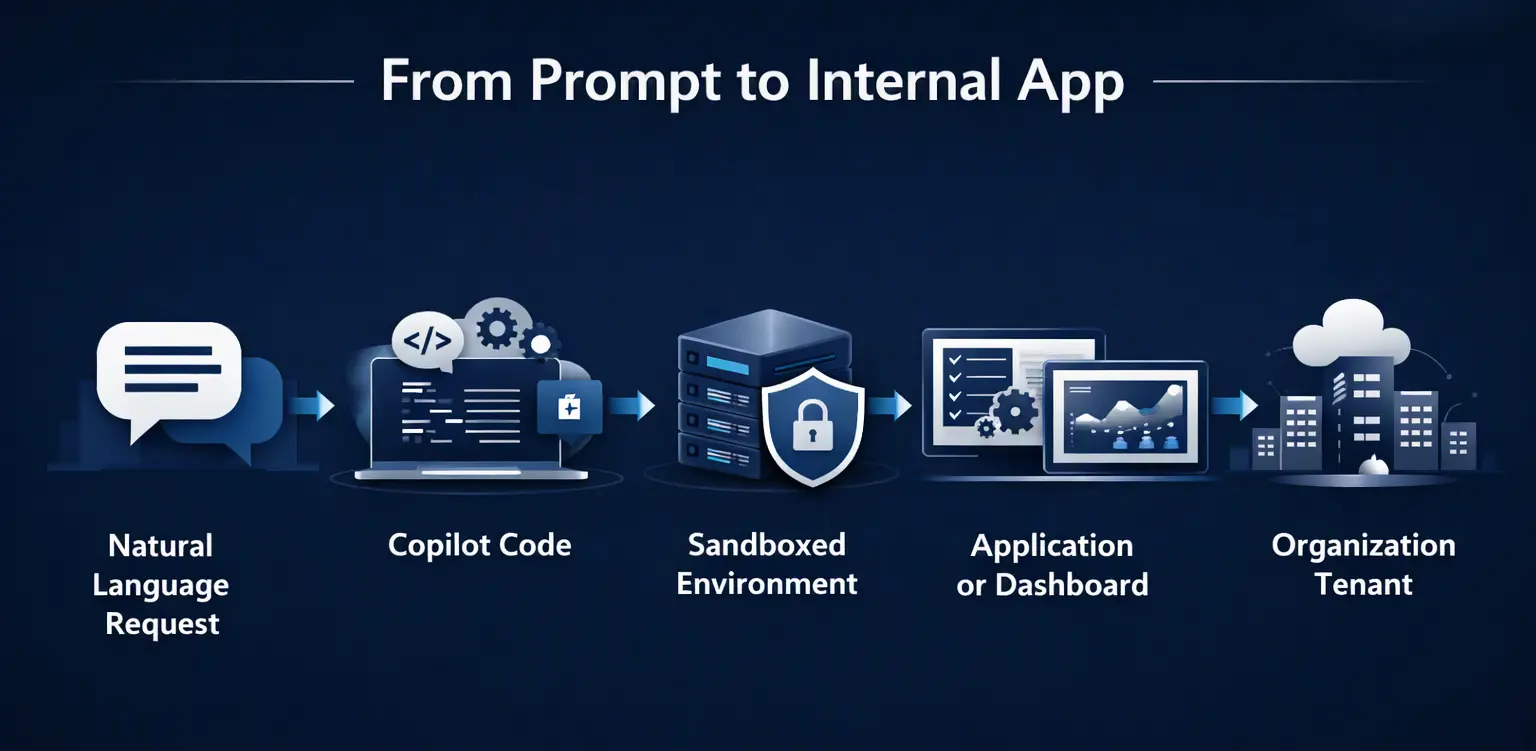
Microsoft also says Code operates in a sandboxed environment and can be hosted within an organization's tenant.
Code is scheduled to roll out to the Frontier program toward the end of September, with broader availability planned in the following weeks. Microsoft also says it will enter preview for Microsoft 365 Premium and Pro subscribers later in 2026.
What Code Could Mean for Knowledge Workers
The announcement reflects a broader shift in how software can be created inside organizations.
Traditionally, business users often depended on developers or IT teams to create internal tools. Microsoft's approach is to let users describe what they need in natural language and have Copilot generate the solution.
For enterprises, this could mean a growing number of small, purpose-built applications being created directly by teams rather than through conventional software-development projects.
However, the announcement does not provide enough information to determine how organizations will evaluate the security, maintainability or long-term governance of every application created through Code.
The company did not provide specific information about this area.
Microsoft Introduces Copilot Managed Runtime
As AI-generated applications become more common, Microsoft is also introducing Copilot Managed Runtime.
Microsoft describes it as hosting infrastructure that allows code created through Copilot to run inside an organization's Microsoft 365 environment.
The company says the runtime is governed by IT while allowing users to share applications with teammates, connect them to live data and access them across environments.
Microsoft says the same foundation supports applications built with Cowork, Code and Copilot Studio, and that it is also being opened to third-party and professional developers.
Copilot Managed Runtime is currently in preview and will also be accessible within Code.
The move highlights an important part of Microsoft's strategy: AI-generated applications are not being treated solely as experimental chat outputs. The company is also building infrastructure around where those applications run and how organizations manage them.
Autopilot Turns Copilot Into a Persistent Agent
The third major component is Autopilot, which Microsoft says was previously called Scout.
Unlike a conventional chatbot that waits for a prompt, Autopilot is designed to continue working on tasks after the user has provided an objective.
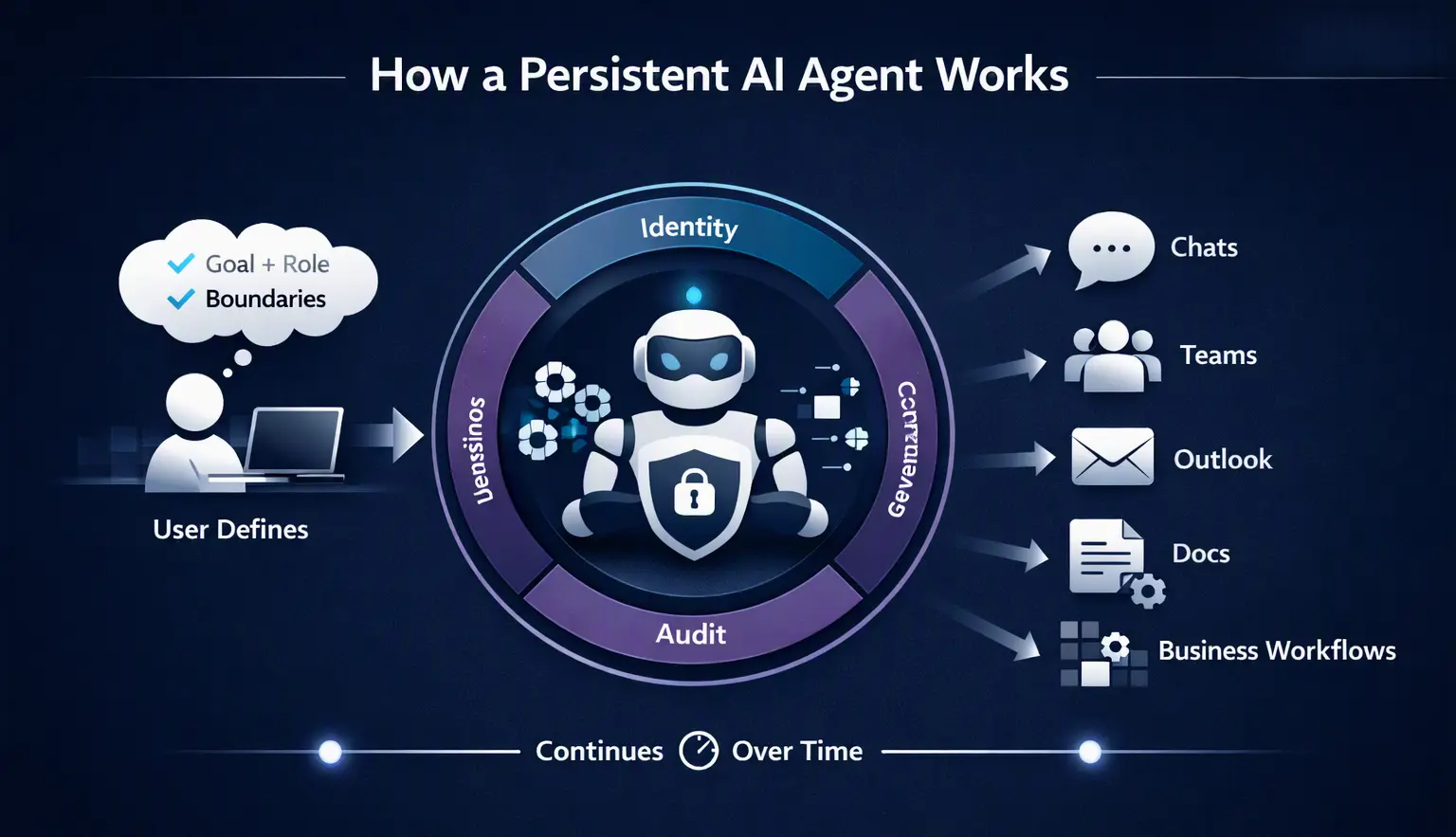
Microsoft describes it as a persistent, proactive and personal agent. Users can give it a name, role and goal, after which it can monitor channels, follow up on conversations, run recurring work and return to projects later.
Microsoft provides supplier review as one example. According to the company, Autopilot could create the schedule and workback plan, handle preparation and meetings, follow up with stakeholders and collect updates.
The agent is cloud-hosted, meaning it can continue operating while the user is away from their computer.
Autopilot Gets Its Own Identity and Workspace
Microsoft says Autopilot operates within an organization's tenant with its own identity, memory, computer and workspace.
It is also designed to work across environments such as Teams, Outlook, chats, channels and documents.
Microsoft says permissions, auditing and governance are built into the experience. Users define objectives and boundaries while the agent performs the assigned work.
This architecture represents a meaningful change in the role of AI inside enterprise environments.
A chatbot generally acts when a person interacts with it. A persistent agent can continue operating across time and systems. That makes identity, permissions, auditing and governance increasingly important parts of the AI workflow.
Microsoft Expands Business Context for Copilot
Another major part of the announcement involves how Copilot accesses organizational context.
Microsoft says Copilot is grounded in Microsoft IQ, its unified intelligence platform for enterprise AI across the Microsoft stack.
The company is expanding that context through several components.
Fabric IQ
Microsoft says Fabric IQ brings trusted context from organizational data into Copilot, including semantic models from Power BI.
The company says Fabric IQ grounds Chat and Cowork, while Code integration is planned through the Frontier program.
Dynamics 365 and Power Platform
Microsoft also says Copilot is being grounded in data and workflows from Dynamics 365 and Power Platform, with the capability rolling out in public preview over the following month.
Microsoft gives a sales proposal as an example, where Copilot could incorporate information such as deal history and support tickets into a document.
The broader idea is that AI-generated work should have access to relevant business context rather than relying solely on information supplied inside an individual prompt.
Plugin Registry
Microsoft is also introducing a new plugin registry designed to bring Microsoft, partner and custom-built plugins together in one catalog.
According to Microsoft, IT administrators will be able to approve and manage plugins centrally, while developers and partners can publish capabilities for supported Copilot experiences.
This provides another layer between Copilot and the systems where business data and actions reside.
Microsoft Adds New Controls for AI Spending
The expansion of agentic AI also introduces another challenge for organizations: managing usage and cost.
Microsoft says traditional everyday Copilot activities will continue to use a user subscription license, while longer-running agentic capabilities such as Cowork, Code and Autopilot will use usage-based billing.
Microsoft also says some frontier models, including Astra and Fable, will run under usage-based billing.
The company is introducing additional FinOps for AI capabilities to help organizations manage this spending.
Administrators will be able to manage spending policies through APIs, route credit requests through approval workflows and control which model families are available to different groups.
Microsoft also says business leaders and administrators can examine Cowork task usage, while end users can view credit usage, remaining balances and usage history directly in Copilot.
This creates a more explicit connection between AI capabilities and organizational cost management.
As AI agents perform longer and more complex tasks, the amount of compute used by an interaction can vary significantly. Usage visibility and policy controls therefore become part of enterprise AI administration.
What's Coming Next
Microsoft also previewed several capabilities that have not yet reached general availability.
One is Today in Home, described as a proactive command center spanning mail, calendar, Teams threads, meetings and tasks.
Microsoft says Today will help users identify missed information, urgent work and items that can wait. It is scheduled to enter private preview in October 2026 and is expected to come to Outlook and Teams as well.
Another upcoming feature is @Copilot in Teams.
Microsoft says this capability will provide Copilot with the shared context and permissions of a Teams channel, group chat or meeting. It is scheduled for private preview by the end of September.
These features reinforce Microsoft's broader direction for Copilot: bringing AI closer to the flow of everyday work rather than keeping it isolated inside a separate chat window.
What Microsoft's New Copilot Means for Developers and Businesses
The announcement highlights a broader industry shift toward AI systems that combine conversation, software creation and autonomous task execution.
For developers, Code could introduce another layer to the software-development process. Instead of every internal tool requiring a traditional development workflow, some smaller solutions could begin with natural-language instructions.
For business teams, Home and Office integration could make it easier to move from a request to an editable document, spreadsheet or presentation.
For IT teams, Autopilot and Code introduce additional governance considerations because AI systems can operate across organizational data, applications and workflows.
The key distinction is that Microsoft is not presenting these capabilities as isolated AI features. They are being connected through a common Copilot environment, business context and enterprise controls.
That could make the management of AI identities, permissions, data access, application hosting and usage costs increasingly important.
These are areas where organizations will need to establish their own policies based on their risk requirements and operating environments.
A Shift From AI Assistance to AI Workflows
The new Copilot announcement reflects a broader evolution in enterprise AI.
The first generation of workplace AI assistants largely focused on generating text, summarizing information and answering questions.
The next stage is increasingly about delegation.
Users can describe a goal, provide context and allow an AI system to perform multiple steps. Code extends this concept into application development, while Autopilot extends it into persistent work that can continue after the user leaves the computer.
Microsoft's new Copilot brings these ideas together under one product experience.
The practical impact will depend on how organizations adopt these capabilities, what governance they put around them and how effectively employees incorporate them into existing workflows.
Microsoft has announced the capabilities and rollout plans, but many implementation details will depend on future previews and availability.
Additional details were not disclosed in the announcement.
Availability
Microsoft says Home and Code will begin rolling out through the Frontier program in the coming weeks.
Autopilot is expanding to private preview at the end of September.
Code is also expected to reach broader availability in the coming weeks, while Microsoft 365 Premium and Pro subscribers are expected to receive Code in preview later in 2026.
Copilot Managed Runtime is already in preview.
Microsoft says additional announcements are expected around Microsoft Ignite, scheduled for November 17-20, 2026, in San Francisco and online.
Source: Microsoft Official Blog
About the Author