
Google Cloud Launches Gemini AI Agents for Smarter Database Operations
Google Cloud has launched Gemini-powered Database Operations Agents to simplify database lifecycle management. The AI agents help teams select, configure, monitor, troubleshoot, and optimize databases through natural language interactions.
Xcademia Team
Xcademia Research Team
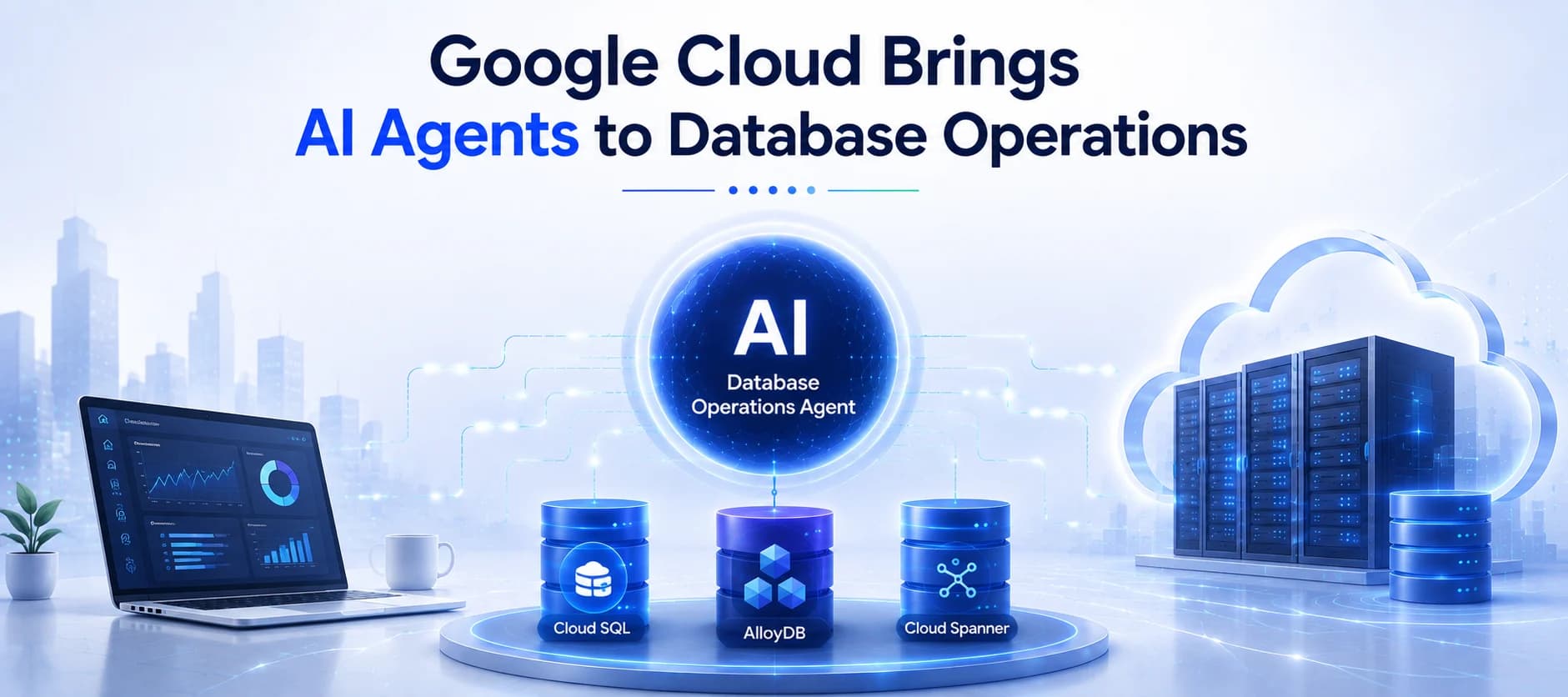
Google Cloud Brings AI Agents Into Modern Database Management
Managing modern databases has become increasingly complex as organizations scale applications, workloads, and data platforms. Database teams must continuously handle provisioning, configuration, performance tuning, monitoring, troubleshooting, and optimization across rapidly changing environments.
To address these challenges, Google Cloud has introduced a new generation of AI-powered database assistants designed to help teams manage databases more efficiently throughout their lifecycle.
As part of the Agentic Data Cloud launch at Google Cloud Next ‘26, Google introduced two Database Operations Agents:
Database Onboarding Agent for Day 0 operations, including database selection, setup, configuration, and initial deployment.
Database Observability Agent for Day 1 and Day 2 operations, including monitoring, troubleshooting, performance analysis, and ongoing maintenance.
Powered by Gemini’s reasoning capabilities and Google Cloud’s database expertise, these agents help developers, database administrators, DevOps teams, and Site Reliability Engineers investigate issues, make informed decisions, and improve database operations through natural language interactions.
The Growing Complexity of Database Operations
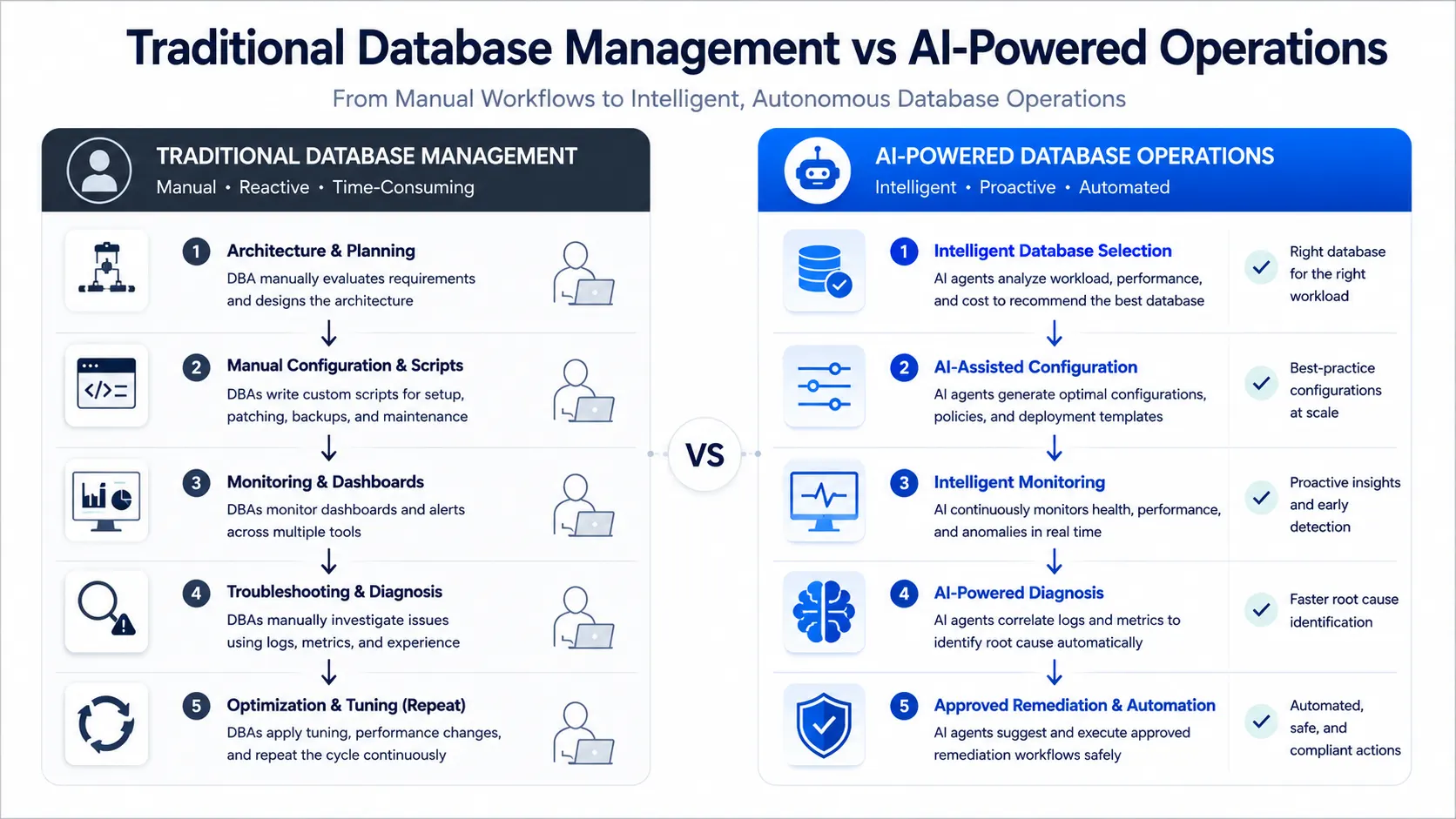
Traditional database management requires teams to combine architecture planning, custom scripts, monitoring platforms, and continuous optimization processes.
Before deploying a database, teams must select the appropriate database service, determine compute and storage requirements, design configurations that support future scalability, and optimize schemas, indexes, and queries. These decisions can have a lasting impact on application performance and operational costs.
After deployment, teams must continuously monitor:
Query performance
Resource utilization
Database availability
Latency problems
Connectivity issues
Lock contention
Changing workload patterns
Even experienced database professionals can spend significant time investigating performance issues. When applications slow down, engineers often need to review multiple sources, including logs, metrics, traces, queries, and infrastructure settings, before identifying the root cause.
AI-powered database agents aim to reduce this operational complexity by bringing intelligent assistance directly into database workflows.
Database Observability Agent: From Diagnosis to Recommended Solutions
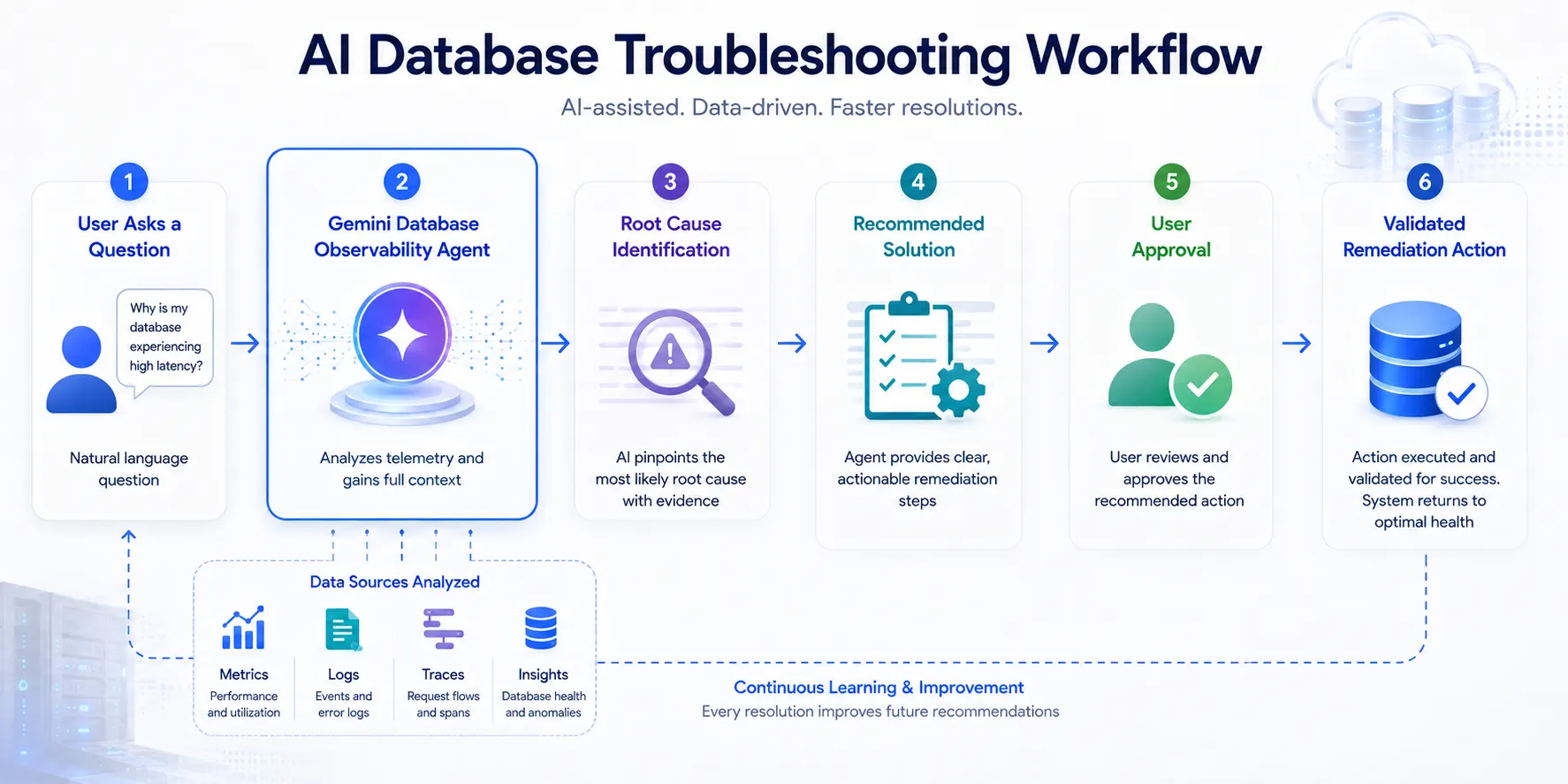
The Database Observability Agent helps Site Reliability Engineers (SREs), DevOps professionals, database administrators, and developers investigate complex database issues using simple natural language prompts.
Instead of manually searching through multiple monitoring systems, teams can ask questions such as:
"Why is this database experiencing high latency?"
The agent analyzes operational information from multiple sources, including:
Database Insights
Cloud Monitoring
Cloud Logging
Cloud Trace
By combining telemetry data with Gemini’s reasoning capabilities, the agent helps identify possible root causes and provides actionable recommendations.
The goal is not only to detect database problems but also to explain why they occurred and guide teams toward effective solutions.
From Root Cause Analysis to Approved Remediation
Database troubleshooting often involves multiple stages:
Detect unusual database behavior
↓
Analyze information from multiple monitoring sources
↓
Identify the underlying cause
↓
Recommend the appropriate solution
↓
Apply changes safely
The Database Observability Agent supports this workflow by helping teams move from diagnosis to resolution.
Beyond identifying issues, the agent can provide recommended actions and allow teams to review and approve changes before execution.
For example, the agent may suggest:
Enabling connection pooling for a Cloud SQL instance
Adding indexes to improve query performance
Adjusting configurations based on workload behavior
This approach keeps teams in control while reducing the time required to investigate and resolve database issues.
Fleet-Level Troubleshooting and Database Investigations
Organizations managing large database environments can use Gemini Chat with Database Center integration to ask fleet-wide operational questions.
Examples include:
Which databases consumed the most CPU over the last seven days?
Which database instances are showing unusual performance patterns?
Where are potential bottlenecks across the database fleet?
The agent summarizes findings across the environment, helping teams understand large-scale operational trends faster.
The agent correlates information across database telemetry, Cloud Monitoring, Cloud Logging, Cloud Trace, and other operational sources to identify issues such as latency spikes, query performance problems, lock contention, and resource constraints.
By connecting information across multiple systems, the agent helps reduce investigation time for complex database problems.
Database Agents Integrated Into Existing Developer Workflows
Google Cloud designed Database Operations Agents to work within the environments where developers, database administrators, and operations teams already manage applications and infrastructure.
Instead of requiring teams to move between multiple tools, these AI-powered capabilities are available across Google Cloud experiences, helping users access database insights and recommendations within their existing workflows.
The agents are integrated across:
Gemini Cloud Assist
Google Cloud Console
Developer tools and IDE workflows
Model Context Protocol (MCP) servers
Third-party tools
This approach allows teams to interact with database intelligence through natural language while continuing to work in their preferred environments.
Gemini Cloud Assist Chat
With Gemini Cloud Assist, developers and operators can ask database-related questions using conversational prompts.
Examples include:
“What is the CPU utilization trend for my top Cloud SQL instances?”
“Which databases in my environment are experiencing performance issues?”
“Why has query latency increased recently?”
The agent can provide summarized analysis, charts, investigations, and recommendations directly within the chat experience.
This helps teams understand database behavior without manually reviewing multiple dashboards and monitoring systems.
Google Cloud Console Investigations
Database teams can access AI-powered investigations directly within relevant database pages in the Google Cloud Console.
By bringing database intelligence into existing management workflows, teams can investigate issues in context without switching between separate monitoring platforms.
The agent can analyze operational signals and help identify potential causes of problems such as:
Performance degradation
Increased latency
Database resource constraints
Query-related issues
Developer Tools and Model Context Protocol Integration
Developers can access Database Observability Agent capabilities through developer environments, including IDE workflows supported by Model Context Protocol (MCP)-based tools.
By combining database insights with development workflows, the experience provides developers with assistance similar to having a virtual database administrator available while building and maintaining applications.
The agent can help developers:
Understand database behavior
Optimize queries
Investigate performance issues
Access operational insights without leaving their development environment
The Database Observability Agent uses MCP tools to access operational information such as:
System metrics
Query metrics
Fleet inventory
Database issues
These capabilities are available through:
Database Insights MCP Server
Database Center MCP Server
This allows AI-powered database assistance to connect with operational data and provide more contextual recommendations.
Supporting Multiple Google Cloud Database Services
The Database Observability Agent supports troubleshooting and optimization across multiple Google Cloud managed database services.
Supported services include:
Cloud SQL
Spanner
AlloyDB
Bigtable
Each database service presents different operational challenges, and the agent helps teams investigate issues based on the characteristics of each platform.
Cloud SQL Optimization and Troubleshooting
For Cloud SQL, the Database Observability Agent helps teams investigate:
Database instance load
Query performance issues
Connectivity problems
PostgreSQL-related database challenges
By analyzing database telemetry and performance information, the agent helps teams identify potential causes and recommended improvements.
Spanner Performance Analysis
For Spanner environments, the agent helps address common troubleshooting scenarios involving:
Read latency
Write latency
Hotspots
Lock contention
Teams can use AI-powered analysis to better understand performance bottlenecks and improve database operations.
AlloyDB Performance Insights
For AlloyDB, the agent helps teams troubleshoot and optimize:
Database instance load
Query performance
Replica lag issues
This allows teams to better manage high-performance database workloads and maintain application reliability.
Bigtable Monitoring and Optimization
For Bigtable, the Database Observability Agent helps diagnose and optimize:
Read latency
Write latency
Performance issues
The agent provides actionable recommendations to help teams improve database efficiency.
Database Onboarding Agent Simplifies Database Selection and Deployment
Selecting the right database architecture is one of the most important decisions during application development. Teams must consider workload requirements, scalability expectations, performance needs, reliability goals, and operational complexity before choosing a database service.
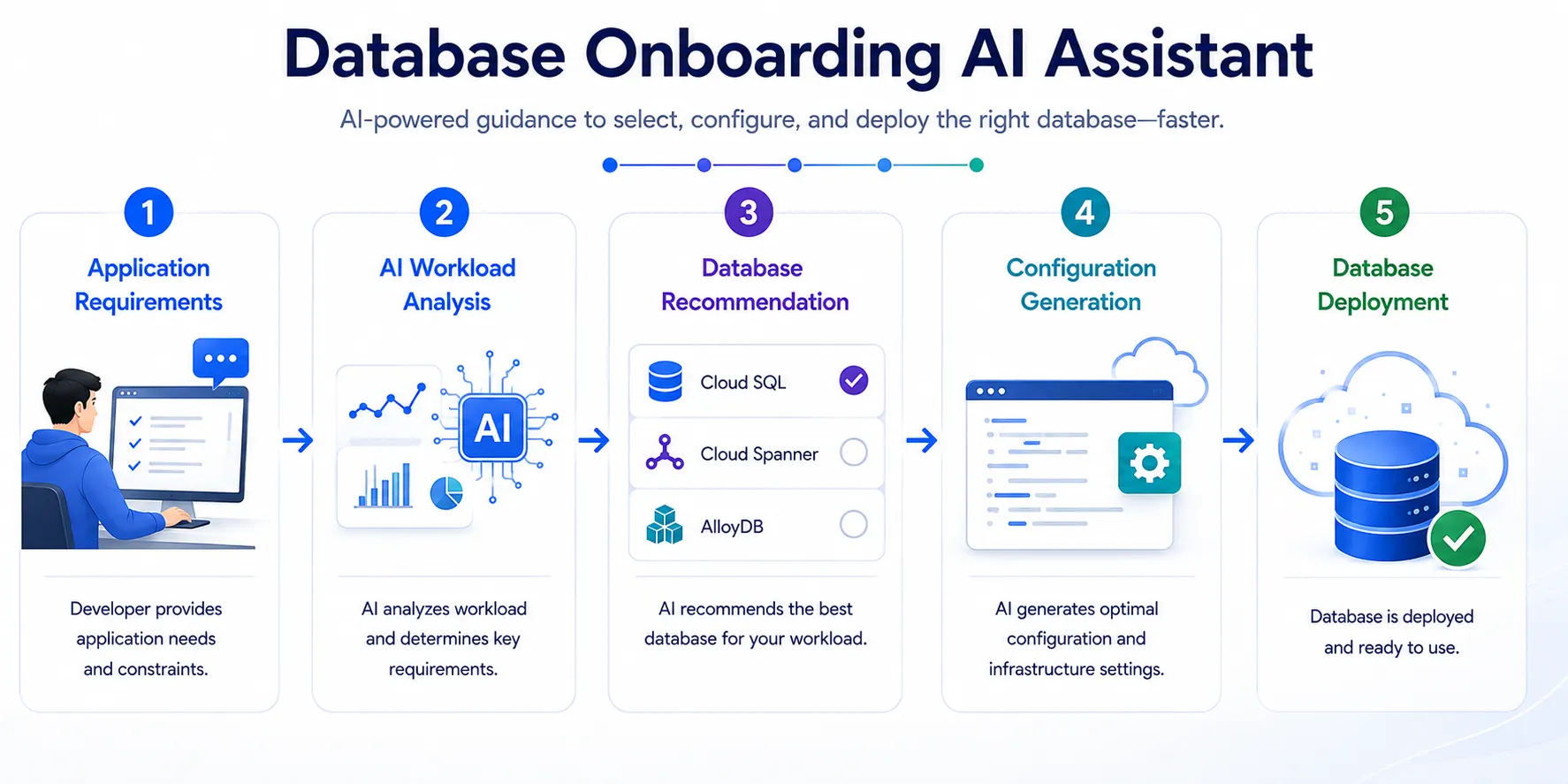
The new Database Onboarding Agent helps simplify this process by allowing users to describe their application requirements using natural language.
Instead of spending significant time reviewing documentation and comparing database options, teams can explain their workload requirements and receive AI-assisted recommendations based on their needs.
The agent evaluates factors including:
Application workload patterns
Performance requirements
Data characteristics
Scalability needs
Reliability expectations
Technical requirements such as latency, IOPS, and replication needs
Based on this information, the Database Onboarding Agent can recommend suitable Google Cloud managed database services, including:
Cloud SQL
Spanner
AlloyDB
AI-Powered Database Recommendations
The Database Onboarding Agent does more than suggest a database service.
It reflects user requirements back to the team and explains why a specific recommendation fits the workload.
For example, if an application requires high availability and strong performance, the agent can recommend an appropriate database configuration and explain the reasoning behind the selection.
This helps teams make more confident architecture decisions while reducing the time required to evaluate database options.
Streamlined Database Configuration and Deployment
After selecting a database service, the Database Onboarding Agent helps simplify the next steps by assisting with configuration and deployment.
The agent can:
Recommend suitable configurations
Explain configuration choices
Generate required commands
Guide users through database provisioning
By assisting with the initial setup process, the agent helps teams move from database planning to deployment more efficiently.
AI Assistance Across the Database Lifecycle
The introduction of Database Operations Agents reflects the growing role of AI-assisted tools in modern infrastructure management.
As organizations operate increasingly complex digital systems, database teams need solutions that can reduce repetitive work, improve troubleshooting efficiency, and support better operational decisions.
Database Operations Agents help teams by providing:
Faster insights into database performance
Assistance with troubleshooting complex issues
Recommendations for configuration improvements
Support during database selection and deployment
Better visibility across database environments
These capabilities are designed to enhance the work of database professionals by providing intelligent assistance throughout the database lifecycle.
Availability of Database Operations Agents
The Database Observability Agent and Database Onboarding Agent capabilities are available through Gemini Cloud Assist.
The agents support a wide range of Google Cloud database services, including:
AlloyDB
Bigtable
Cloud SQL for PostgreSQL, MySQL, and SQL Server
Firestore
Memorystore
Spanner
Google Cloud continues expanding AI-powered capabilities across its Agentic Data Cloud ecosystem to help organizations build, operate, and optimize modern data platforms.
The Future of AI-Assisted Database Operations
The launch of Database Operations Agents highlights Google Cloud’s continued effort to bring AI assistance into complex infrastructure workflows.
By combining Gemini’s reasoning capabilities with Google Cloud’s database expertise, these agents help teams simplify database selection, accelerate troubleshooting, improve performance analysis, and make informed operational decisions.
Rather than replacing database professionals, AI-powered agents are designed to extend their capabilities by reducing repetitive tasks and providing contextual insights throughout the database lifecycle.
As organizations continue building and operating larger cloud environments, intelligent database assistance can help teams improve efficiency, reduce operational complexity, and focus more on innovation instead of manual troubleshooting.
Source: Google Cloud Blog
About the Author