
Apple Explains Its Threat Notifications for Mercenary Spyware Targets
Apple says its threat notifications are high-confidence warnings for users individually targeted by mercenary spyware. The company explains how alerts are delivered, how to verify them, and what users should do next.
Xcademia Team
Xcademia Research Team
Introduction
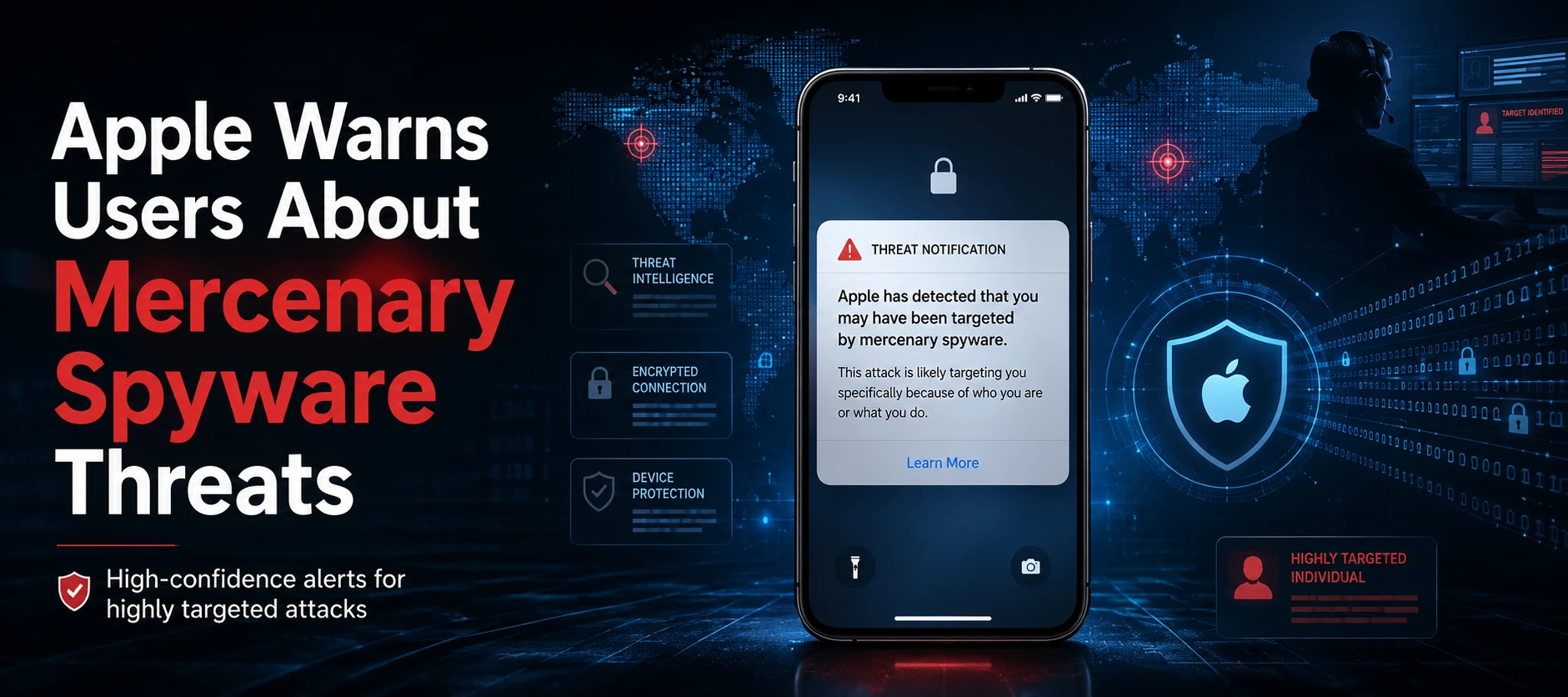
Apple has detailed how its threat notification system is designed to protect people who may have been individually targeted by highly sophisticated mercenary spyware attacks.
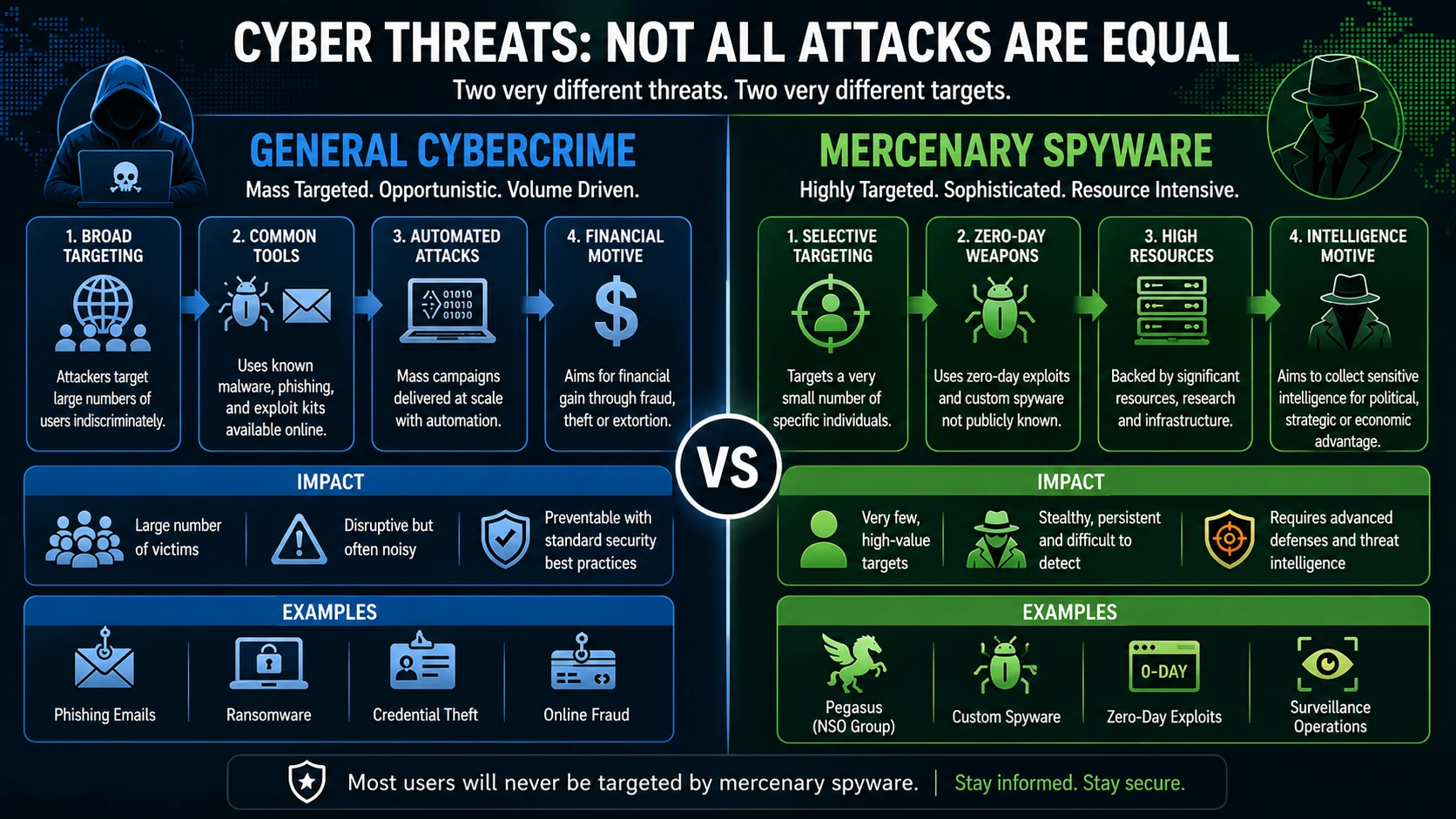
The company says these attacks are fundamentally different from ordinary cybercrime. They are designed to target a very small number of specific individuals and can involve substantial resources, making them difficult to detect and prevent. Apple says the vast majority of users will never be targeted by such attacks.
The guidance was published by Apple on August 13, 2026, and explains what its threat notifications mean, where users can find legitimate alerts, and what steps Apple recommends after receiving one.
What are Apple threat notifications?
Apple threat notifications are intended for users whom Apple believes may have been individually targeted by mercenary spyware.
According to Apple, these attacks can be exceptionally sophisticated and are generally directed at a very small number of people based on who they are or what they do. The company says mercenary spyware operations can cost millions of dollars and may have a short operational lifespan, increasing the difficulty of detection and prevention.
Apple also notes that publicly reported research has historically connected some highly targeted spyware operations with state actors and private companies developing spyware on their behalf. The company cites Pegasus from NSO Group as an example. Apple says such attacks have affected individuals including journalists, activists, politicians and diplomats, and that the activity remains global.
Apple does not reveal its detection criteria
Apple says it relies solely on its internal threat intelligence and investigations when detecting activity consistent with mercenary spyware attacks.
The company describes its threat notifications as high-confidence alerts that an individual may have been targeted. However, Apple does not claim absolute certainty.
Importantly, Apple does not disclose the specific evidence or indicators that trigger a threat notification. The company says revealing those details could allow spyware operators to modify their behaviour and attempt to evade future detection.
This approach creates a deliberate balance between informing potential targets and protecting the detection process itself.
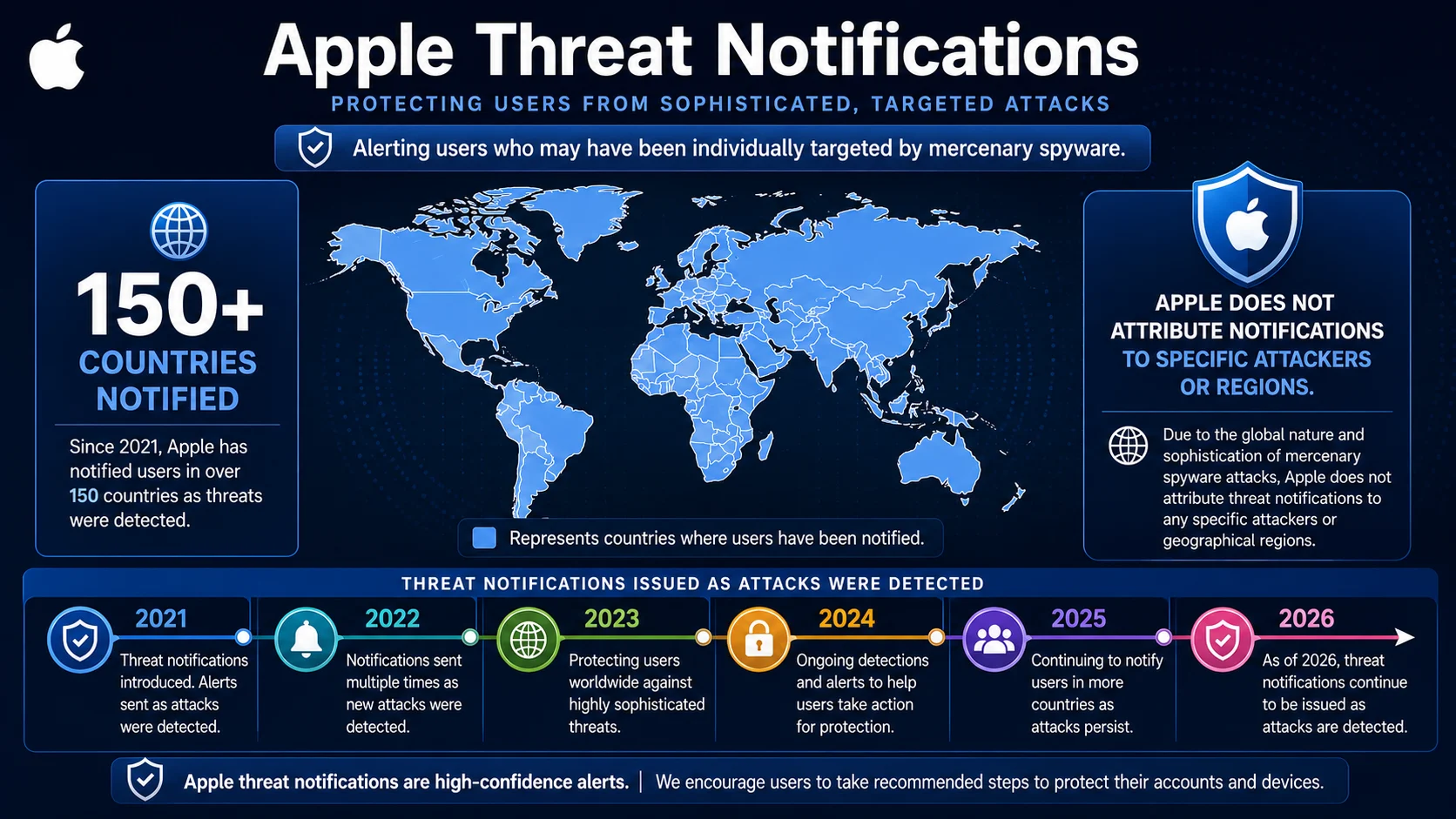
Apple also says it does not attribute the attacks or resulting threat notifications to specific attackers or geographic regions because of the global nature and sophistication of mercenary spyware operations.
Apple has notified users in more than 150 countries
Apple says it has sent threat notifications multiple times each year since 2021 when it has detected these attacks.
According to the company's August 13 guidance, users in more than 150 countries have been notified in total. Apple characterises mercenary spyware as one of the most advanced forms of digital threat because of its cost, sophistication and global reach.
The company does not provide a breakdown of the number of users notified, the number of attacks detected, or the specific countries affected.
How Apple threat notifications are delivered
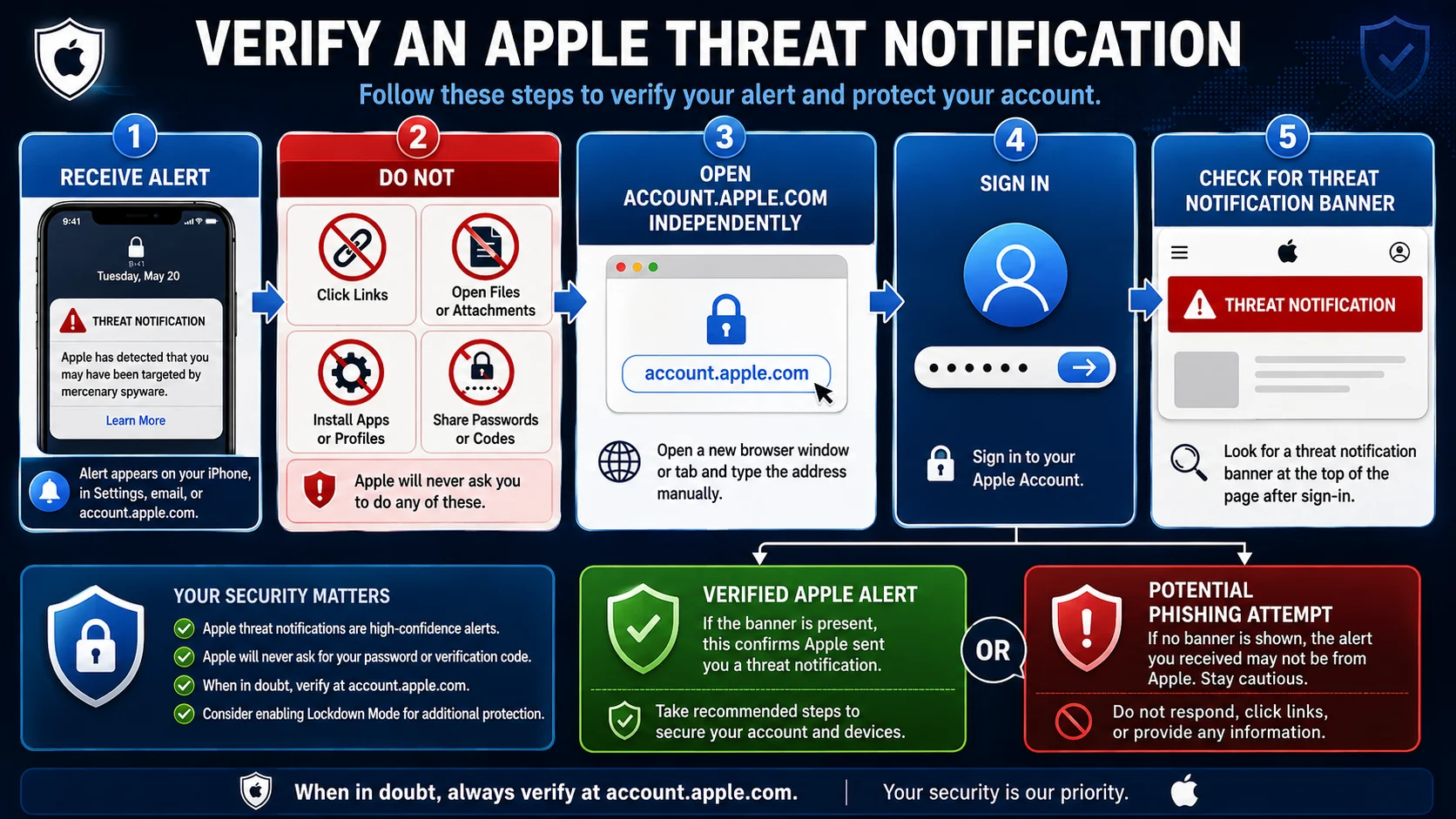
Apple says a legitimate threat notification can appear through multiple channels.
For affected users, the notification may appear directly on an iPhone Lock Screen and in Settings. Apple also sends an email notification to an address associated with the user's Apple Account.
In addition, a threat notification banner appears at the top of the user's Apple Account page after signing in to account.apple.com.
As of 2026, Apple says targeted users are notified directly on iPhone and through email from Apple Threat Notifications, using threat-notifications@email.apple.com. Apple also notes that notification types can vary depending on the device model and software version.
The safest way to verify an alert
Apple specifically warns users that genuine threat notifications will not ask them to:
Click a link
Open an attachment
Install an application or configuration profile
Provide an Apple Account password
Provide a verification code by email or phone
Instead, Apple recommends independently signing in to account.apple.com. If Apple has issued a threat notification, it should be clearly displayed at the top of the account page after sign-in.
This verification step is particularly important because attackers could attempt to impersonate Apple and use fake security warnings to steal credentials or verification codes.
What should users do after receiving an Apple threat notification?
Apple recommends taking the warning seriously and following the security guidance included with the notification.
One of the key recommendations is enabling Lockdown Mode, a security feature intended to provide additional protection for users who may face highly sophisticated targeted attacks.
Apple also strongly recommends that notified users seek expert assistance. The company points to the Digital Security Helpline operated by the nonprofit Access Now as one source of rapid-response security assistance. Apple says recipients can contact the service 24 hours a day, seven days a week.
External organisations cannot see the internal evidence that caused Apple to issue a notification. However, Apple says they can still provide targeted users with tailored security guidance.
Apple also recommends basic security measures for everyone
Apple makes an important distinction between mercenary spyware and everyday cybersecurity threats.
The company says most users will never be targeted by mercenary spyware. However, standard security practices remain important for protecting against broader cyber threats.
Apple recommends that users:
Keep devices updated
Install the latest software updates to receive current security fixes.Protect devices with strong authentication
Use a passcode, Touch ID or Face ID.Secure the Apple Account
Use two-factor authentication together with a strong password.Enable Stolen Device Protection
Apple recommends turning on this feature as part of its security guidance.Install apps from the App Store
Apple recommends using the App Store for app installation.Use strong and unique passwords
Apple also recommends passkeys where they are available.Treat unexpected messages carefully
Avoid opening links or attachments from unknown senders.
Lockdown Mode is not limited to users who receive a notification
Apple says users who have not received a threat notification but have good reason to believe they may be individually targeted can enable Lockdown Mode for additional protection.
The company does not say that enabling Lockdown Mode means Apple has detected an attack. Rather, it presents the feature as an additional protective measure for people who believe they could face this type of targeted threat.
For emergency cybersecurity assistance unrelated to mercenary spyware, Apple also points users toward the Consumer Reports Security Planner, which maintains a list of emergency resources.
What Apple's guidance means for security-conscious users
The announcement highlights a broader industry shift toward treating highly targeted spyware as a distinct category of cybersecurity threat.
Traditional security advice often focuses on mass phishing campaigns, malware and credential theft. Mercenary spyware operations can involve a different threat model, where attackers may devote significant resources to compromising a very small number of individuals.
For enterprises, journalists, researchers, public officials and other potentially high-risk users, the guidance reinforces the importance of layered security rather than relying on a single security control.
It also demonstrates why users should verify security warnings through trusted account interfaces rather than interacting directly with links or attachments contained in unexpected messages.
Apple's decision not to disclose the specific criteria behind its threat notifications also illustrates a practical challenge in threat intelligence: providing enough information for a targeted user to respond without revealing detection methods that attackers could use to improve their evasion techniques.
The bigger cybersecurity picture
Apple's guidance does not suggest that mercenary spyware is a widespread threat to ordinary users. In fact, Apple repeatedly states that the vast majority of users will never be targeted.
The significance lies in the severity of the threat for the comparatively small group that may be targeted.
For those users, a threat notification should not be treated like an ordinary security pop-up. Apple's guidance describes it as a high-confidence warning that deserves serious attention, independent verification and, where appropriate, expert assistance.
For everyone else, the recommendations remain straightforward: keep devices updated, protect accounts with strong authentication, use secure passwords or passkeys, avoid suspicious links and attachments, and enable additional protections when there is a credible reason to believe targeted attacks may be a concern.
Source: Apple Support
About the Author