
WordPress 7.0.4 Fixes High-Risk Imagick RCE Vulnerability Through Malicious File Uploads
WordPress 7.0.4 addresses CVE-2026-65640, an authenticated remote code execution vulnerability involving Imagick and Ghostscript. Administrators are urged to update, particularly on sites with multiple users who can upload files.
Xcademia Team
WordPress 7.0.4 Addresses Imagick Remote Code Execution Vulnerability
WordPress has released version 7.0.4 as a security update addressing an authenticated remote code execution vulnerability involving Imagick and Ghostscript.
The vulnerability, tracked as CVE-2026-65640 and referenced as GHSA-8vr3-7mxf-gx8w, can allow an authenticated user with Author-level access or higher to achieve remote code execution through a malicious file upload on affected configurations. WordPress credited the researchers at pwn.ai for responsibly reporting the issue.
WordPress is recommending that site administrators update immediately. The update can be installed through the WordPress Dashboard or by downloading the release from WordPress.org. Sites supporting automatic background updates will also begin receiving the release.
Why Imagick and Ghostscript Matter
The vulnerability involves the way WordPress processes uploaded media through the Imagick image-processing extension.
ImageMagick, which is accessed through WordPress's Imagick implementation, can process more than conventional image formats. It can also handle formats such as PostScript, EPS and PDF. Some of that processing can involve Ghostscript.
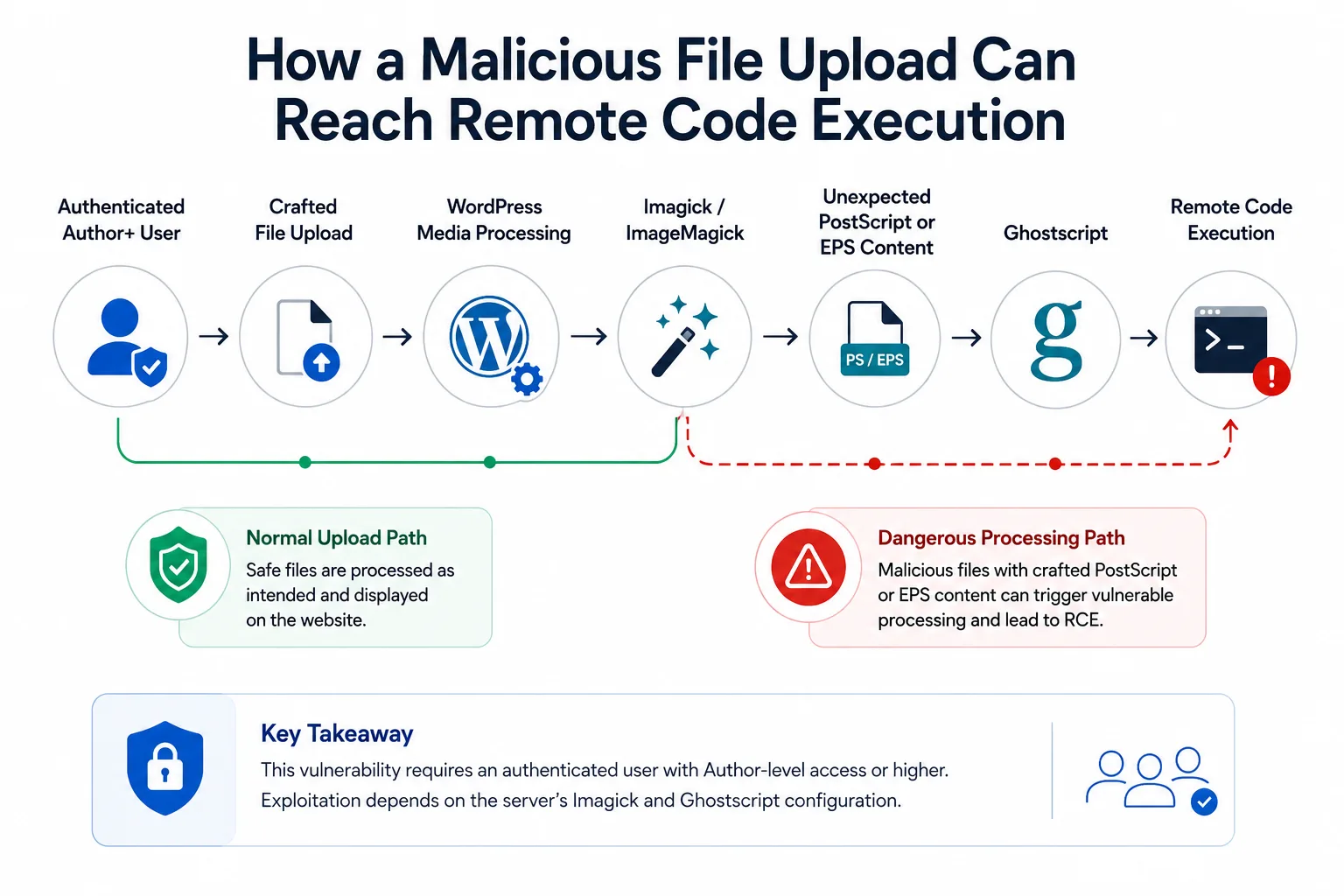
The security problem emerged from a difference between how WordPress validated uploaded files and how ImageMagick identified their actual contents.
A file could use an apparently harmless image extension while containing content associated with another format. According to Cyber Security News, such a file could reach Imagick, which could identify the embedded content and pass it to Ghostscript.
This creates a security boundary problem: the filename or extension alone does not necessarily establish what the file actually contains.
The File Validation Problem
Cyber Security News reports that the vulnerable processing path involved WP_Image_Editor_Imagick::load() relying on the filename extension instead of sufficiently inspecting the file's actual contents before creating an Imagick object.
The article gives the example of a file presented as a PNG but containing PostScript content. ImageMagick could identify the underlying content and potentially route it toward Ghostscript.
WordPress already has a standard file-type and extension validation mechanism, but the source notes that not every upload path passed through that check. XML-RPC's wp.uploadFile method and an MP3 cover-art extraction path were identified as alternative routes that could write uploaded bytes without the same content inspection.
The security release changes this behavior.
According to the technical details published by Cyber Security News, the fix modifies the Imagick loading process so the file's content is inspected before an Imagick object is constructed. The updated logic checks for indicators associated with PostScript and EPS content, invalid PDF signatures and compressed formats that could otherwise be unpacked during image processing.
The patch also addresses filename format specifiers that could be used to influence ImageMagick's decoder selection.
Who Should Pay Particular Attention?
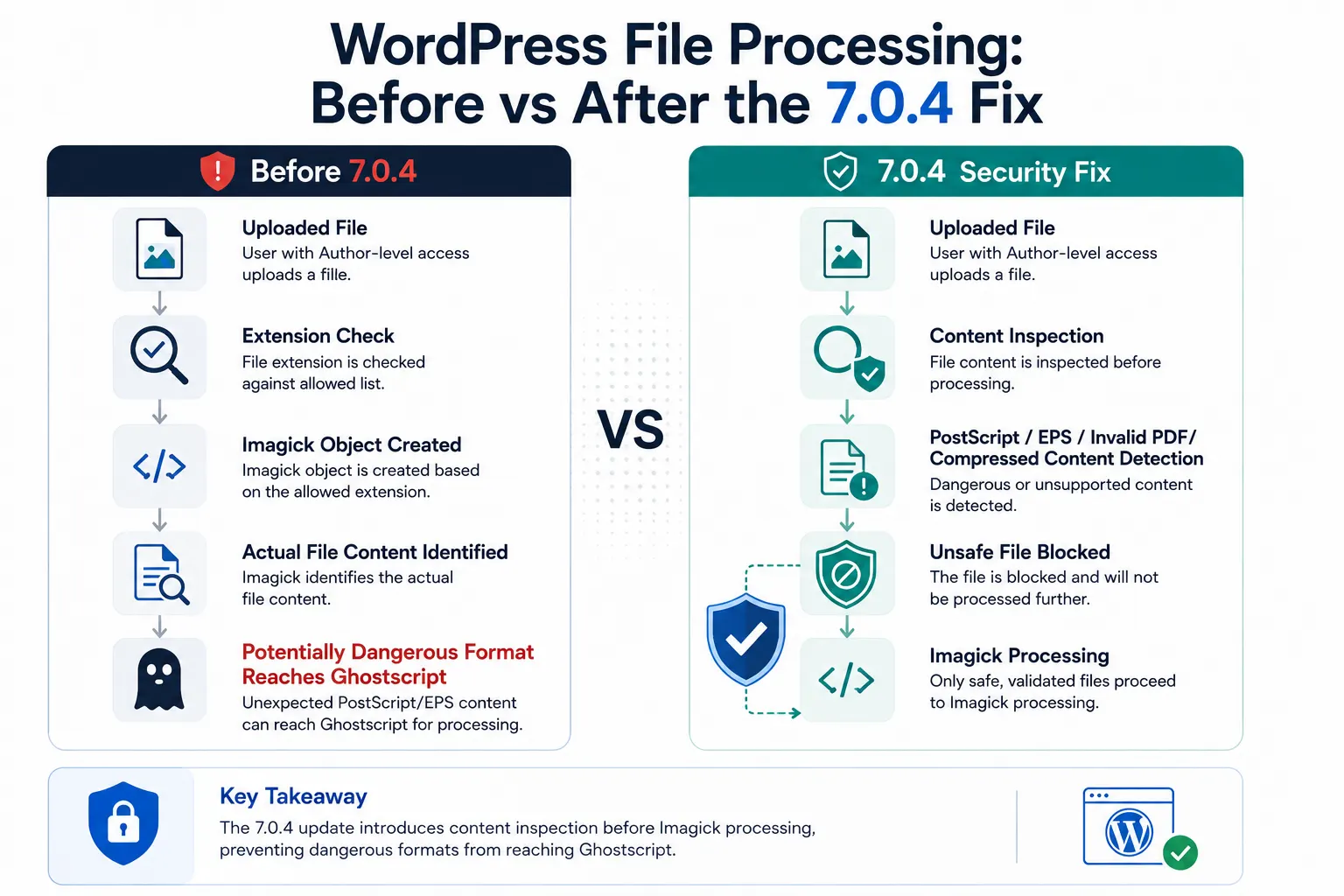
The vulnerability is not an unauthenticated drive-by attack. Exploitation requires Author-level access or higher.
That distinction matters when assessing exposure.
Sites with multiple authors, membership functionality or loosely controlled contributor accounts may have a larger group of users capable of reaching the relevant upload functionality. The source specifically highlights multi-author publications, membership platforms and client sites with broader upload access as environments that warrant attention.
Sites where uploads are restricted to a small, trusted editorial team have a different exposure profile.
For administrators, the immediate question is therefore not only whether WordPress is installed, but also who has upload privileges and how uploaded files are processed.
WordPress Urges Administrators to Update
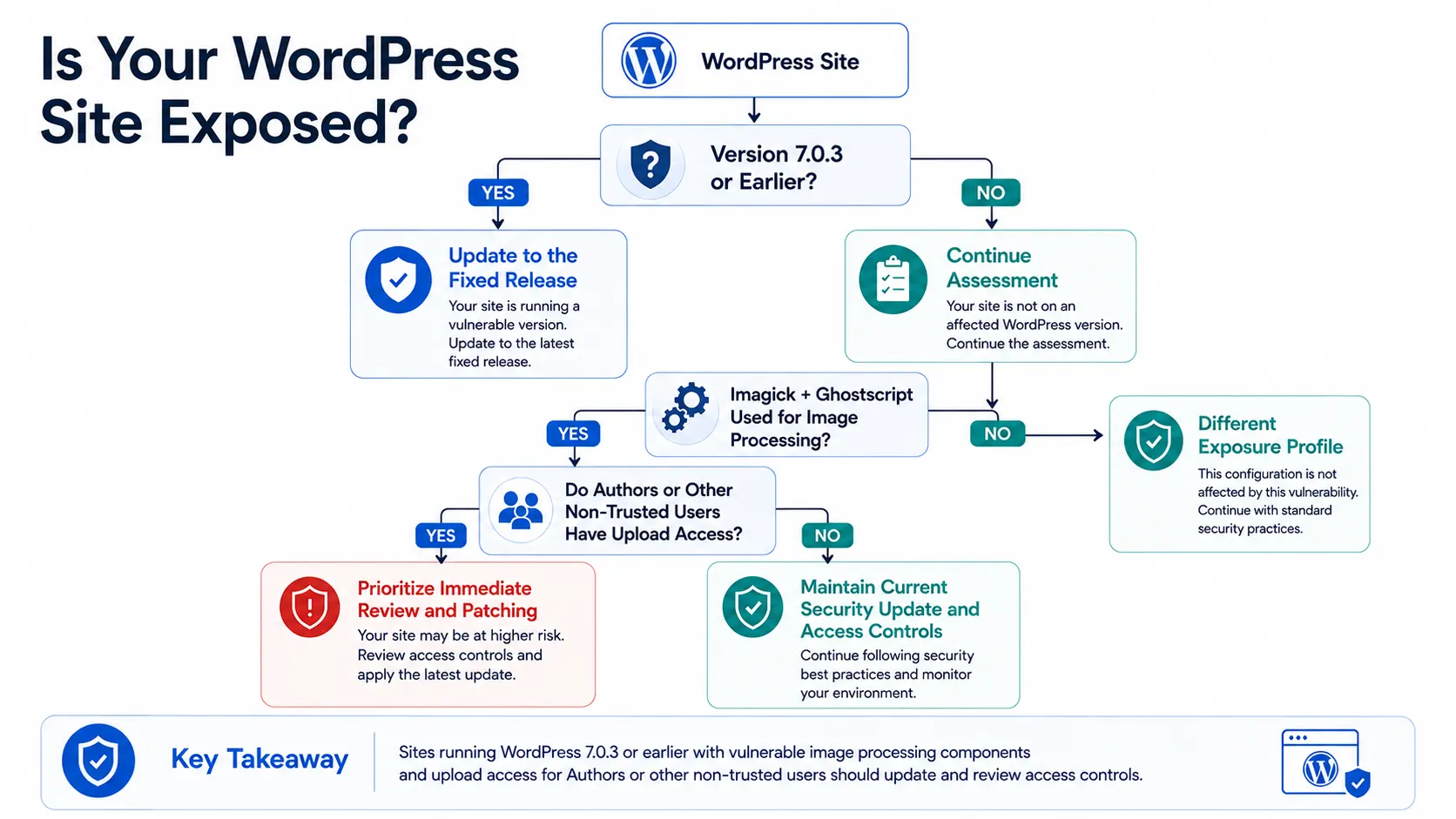
WordPress states that 7.0.4 is a security release and recommends updating sites immediately. The release can be installed from the Dashboard's Updates section or downloaded from WordPress.org.
WordPress also says the fix is being backported through the 4.7 branch, while the 7.1 RC3 release is also receiving the fix. The project notes that only the most recent WordPress version receives full ongoing support.
For administrators, the practical response is straightforward:
Check the WordPress version.
Update to the appropriate fixed release.
Review which users have Author-level or higher privileges.
Review file-upload pathways used by the site.
Pay particular attention to environments using Imagick and Ghostscript.
Confirm that the security update has been successfully applied.
The primary WordPress announcement does not provide additional details about exploitation in the wild. Additional details were not disclosed in the announcement.
What the Release Means for WordPress Security
The WordPress 7.0.4 release highlights an important security principle for content management platforms: validating a file's extension is not necessarily enough when uploaded content is subsequently processed by powerful parsers and external libraries.
The vulnerability also illustrates why access control and file-processing security need to be considered together. An authenticated user may not have administrative privileges, but an upload capability can still become security-relevant when uploaded content is passed through complex processing components.
For enterprises and website operators, this reinforces the value of maintaining WordPress core updates and carefully reviewing who can upload content.
The announcement highlights a broader industry shift toward treating media-processing pipelines as part of the application's security boundary, rather than as a routine content-management function.
Source: WordPress News
About the Author